
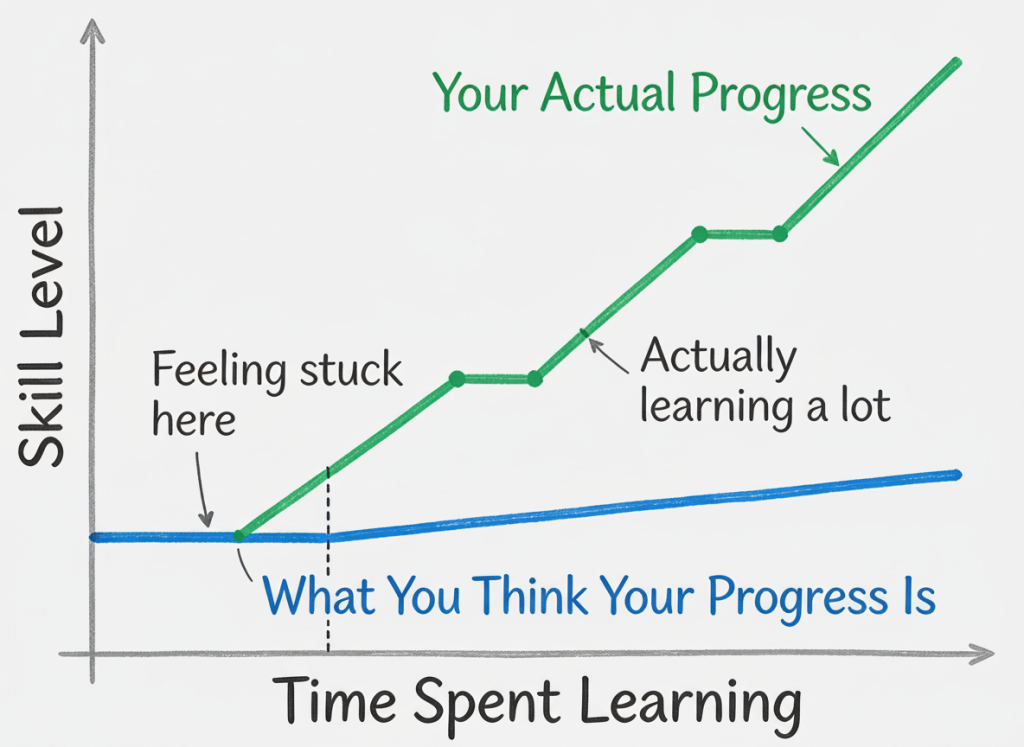
Learning to code as a geotechnical or civil engineer can feel overwhelming. At the beginning, everything looks slow, but it’s because engineering automation has a steep learning curve. I’ve done several Python courses, and the feeling when you open a blank Python file and realise you don’t know where to start is there.
Progress feels slow, and a task that takes ten minutes in Excel may take two hours to script; you debug more than you build, documentation online feels abstract, and the return on effort is unclear.
Sometimes you try to automate something simple, and it takes three hours to do what Excel could do in ten minutes. Added to that, the lack of support from senior people to implement scripts into real-world projects is why we all come back to Excel.
It’s easy to think:
- This is going to take too long.
- I don’t have time for this.
- Maybe I’m just not technical enough.
- No one in my company will be able to check this.
That frustration is normal, and this blog was created precisely for that phase (for you and for me).
Learning in Public (So You Don’t Feel Stuck Alone)
GeotechPython is not a showcase of “perfect automation”, but a record of the learning process by:
- Sharing what I’m learning.
- Documenting what works and what doesn’t.
- Making the path visible.
- Reducing the frustration barrier for others.
It’s said that writing things down forces clarity, and I really believe that teaching a powerful way of learning. When you explain a concept, you understand it more deeply. By sharing the process openly, the hope is that you see that confusion, iteration, and mistakes are part of the journey.
Python for Geotechnical Engineers
GeotechPython has been created to help you reduce that noise and to help geotechnical engineers lead the transition to coding within their organisations in a way that is credible, safe, and professionally defensible. Questions that come up normally are:
- quality assurance.
- traceability and checking.
- responsibility and liability.
- how non-coders can review results.
These concerns are valid, but automation should not weaken engineering governance.
Most geotechnical and civil engineers operate under constant time pressure. This site is for geotechnical engineers who want to use Python to build repeatable, auditable workflows for data handling and calculation. GeotechPython focuses on workflows that can be:
- explained to senior engineers who do not code.
- reviewed line-by-line if needed.
- checked against hand calculations or known cases.
- signed off with confidence.
What you’ll find here:
- Practical Python workflows for ground investigation data.
- Transparent, reviewable implementations of common geotechnical calculations.
- Responsible automation for numerical modelling / PLAXIS scripting.
- QA, assumptions management, and “what can’t be automated” guidance. Actually, a common misconception is that coding replaces checking, but in practice, well-designed scripts can strengthen QA by:
- making assumptions explicit rather than hidden in spreadsheets.
- applying the same validation rules consistently.
- removing undocumented manual steps.
- allowing calculations to be reproduced exactly.
Automation Does Not Replace Engineering Thinking
It protects it by reducing repetitive manual effort, automation frees cognitive capacity for:
- Ground model interpretation
- Parameter selection
- Sensitivity assessment
- Risk evaluation
- Design optimisation
- Technical challenge and peer review
- Challenging assumptions
- Improving design robustness
Choose Your Track
Whether you’re just starting to explore Python for geotechnical engineering or looking to streamline your analysis workflows, these three tracks will help you master automation at your own pace. Each path focuses on different aspects of the design process, allowing you to begin where it matters most for your work.
Track 1:
AGS Data & GI Interpretation
- Reading AGS into tidy tables.
- Validation rules (missing fields, encoding issues, duplicates, units).
- Automated borehole and lab summaries.
- Ground model inputs that are traceable back to source data.
Track 2:
Auditable Calculations
- Settlement calculations.
- Bearing capacity checks.
- Inputs clearly stated.
- Assumptions explicit.
- Outputs reproducible.
- Straightforward sensitivity checks.
Track 3: PLAXIS Models Automation
- Automating input.
- Repeating similar models.
- Iterating parameter sets.
- Generating load cases.
- Automating output.
- QA and governance.
Each track is designed to help you work more efficiently while maintaining the rigour and traceability that geotechnical engineering demands.
A Practical Invitation
This is not about becoming a software developer. It is about becoming a more efficient, defensible, and structured engineer.
If you are at the beginning of your coding journey:
- It’s normal to feel slow.
- It’s normal to feel confused.
- It’s normal to think others are “ahead”.
Keep going.
Automation in geotechnical engineering is not built overnight. It is built file by file, script by script, improvement by improvement. If sharing what I learn helps you take that step forward in your day-to-day work, in your company, or in your own confidence, then this space is doing exactly what it was created for.
If you only do one thing: start with one repeatable workflow you already do every week: read → validate → summarise → plot → export. That one pipeline will save time, reduce errors, and make your design work easier to defend.