After more than a decade in engineering with a solid knowledge of Excel, I can tell you with some confidence where most engineering time actually goes. It does not go into design thinking. It goes on, moving data from one place to another.
Reformatting AGS outputs. Extracting borehole tables. Cross-referencing lab results against hand-logged descriptions. Copying numbers from a report PDF into a spreadsheet so you can finally run the calculation you were hired to run. If you have been in practice for more than a few years, you will know exactly what I mean. If you are just starting out, I am sorry to tell you that this is coming.
Python did not make me a better engineer. What it did was give me my time back, and that turned out to matter more than I expected.
The Real Drain on Engineering Time
There is a persistent myth in our industry that the hard part of geotechnical work is the calculation. In reality, the calculation is often the shortest part of the day. The hard part is everything that precedes it: getting the data into a usable state.
A ground investigation on a medium-sized project might produce dozens of AGS files, multiple laboratory result sheets, and borehole logs in three different formats, depending on which subcontractor was used. Before a single bearing capacity check is run, someone spends hours standardising, checking, and reformatting that data.
This is not a niche problem. It is the background condition of most geotechnical projects, and it scales badly. The bigger the project, the more data, the more reformatting, the more time lost.
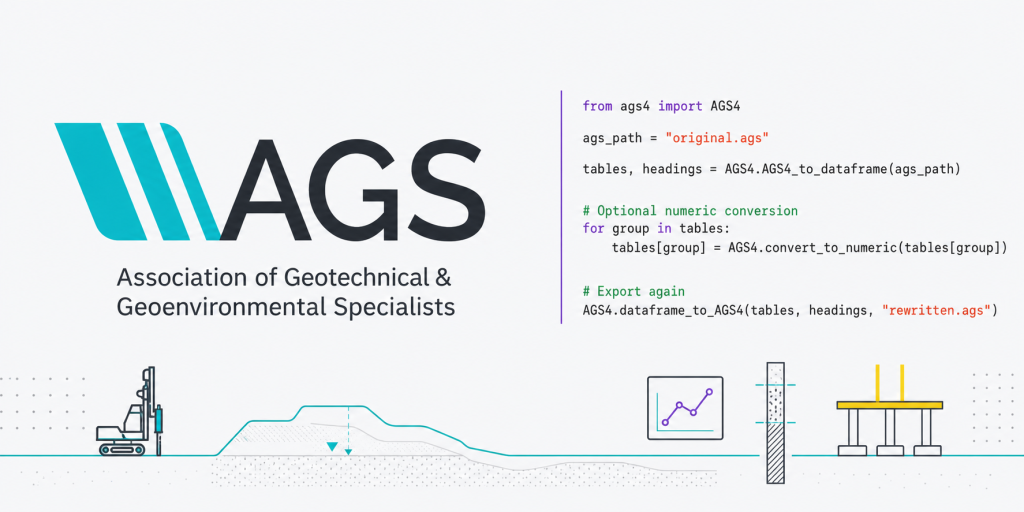
Python solves this category of problem directly. A script that reads an AGS4 file, validates its structure, extracts the tables you need, and outputs a formatted summary does not get tired, does not make transcription errors, and runs in seconds, whether it is processing one file or fifty. You write it once. It works every time.
That was my breaking point, including numerous dramatic spreadsheet failures, but the quieter realisation that I was spending a significant portion of my working week on tasks that added no engineering value whatsoever. Once I saw that Python could handle them, the question stopped being whether to learn it and became why I had waited so long.
The Container Problem
Beyond data processing, Python addresses a second problem, one that matters more the further you progress in your career.
Geotechnical calculations are not inherently difficult to automate. Bearing capacity, pile resistance and settlement are well-defined procedures with clear inputs and outputs. The problem is the container we use for them.
A spreadsheet does the job. It has always done the job. But it makes auditability difficult, version control nearly impossible, and reuse across projects an exercise in careful copying and misplaced optimism. When a checker opens your spreadsheet, they see results. They miss the reasoning that produced them.
That was my breaking point. Not a dramatic spreadsheet failure, but the quieter realisation that a significant portion of my working week went on tasks adding no engineering value. Once I saw Python could handle them, the question stopped being whether to learn it and became why I had waited so long.
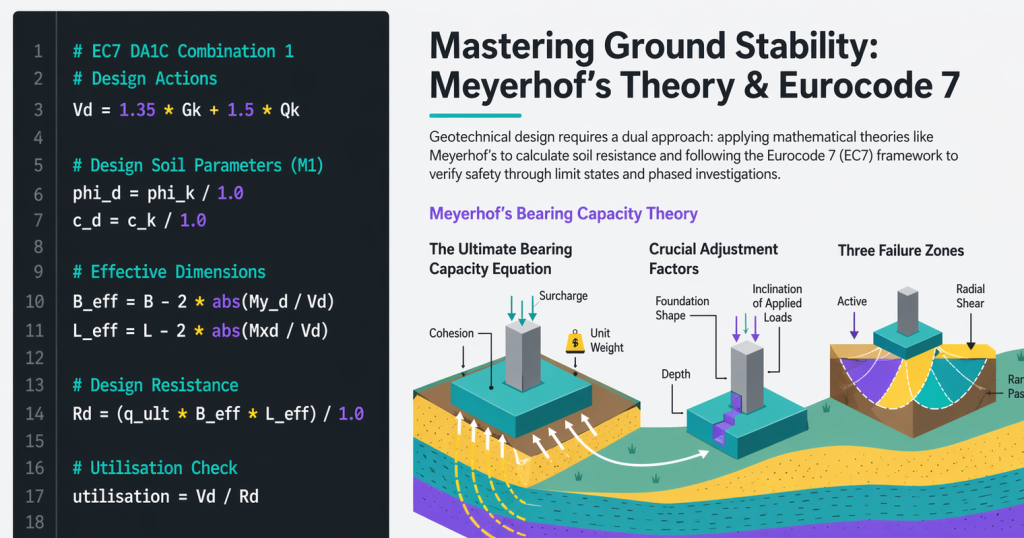
Python changes the container, not the calculation. Each assumption becomes a named variable with a clear label. A well-written Python script lets a reviewer follow the engineering without reverse-engineering a formula chain. In a discipline where defensibility matters, and in UK practice it always does, that is not a small advantage.
“I Am an Engineer, Not a Programmer”
This is the objection I hear most often from senior colleagues, and I understand it completely. After ten or fifteen years of practice, you have built a toolkit that works. You are good at what you do. Going back to basics in the margins of a busy project schedule is not an appealing idea.
The framing is wrong, though. Python does not ask you to become a programmer. It asks you to do what you already do: break a problem into structured steps, name your assumptions and check your output. Just in a slightly different syntax.
The concepts that matter for engineering work are not advanced. Variables, functions, reading a file, printing a result. A few weeks of deliberate practice gets you to genuinely useful. You do not need to understand how Python works internally any more than you need to understand how PLAXIS solves its finite element equations.
Graduates will find the learning curve shorter than expected. Starting now puts you years ahead of colleagues still waiting until they feel ready. Mid-level engineers fluent in Excel will find their instinct for structured calculation transfers directly. Senior engineers will find the investment smaller than it looks, with a real return in time saved and calculation quality.
What Python Does Not Replace
It is worth being direct about the limits, because this is not an argument against the tools that already work.
Judgment is not something Python replaces. A bearing capacity script produces a number regardless of whether your soil parameters are credible or your loading assumptions are realistic. Interpreting the result still requires experience that no script provides.
Specialist software keeps its place, too. PLAXIS, Oasys and WALLAP exist because some problems genuinely require them. Python works best in the space between those tools and your deliverable: the data handling, batch processing, auditable hand calculations and output formatting.
A bad calculation approach is also not something Python fixes. If your engineering logic is wrong, the code reproduces the error at scale. Writing explicit, named assumptions does make mistakes harder to hide, but the engineering still has to be right first.
Think of Python as a layer sitting between your raw data and your finished work. Transparent, repeatable and entirely yours.
Where to Start
If you are new to Python, do not start with a complex calculation. Start with the smallest thing in your current workflow that is repetitive, well-defined and genuinely tedious. Reading a CSV. Extracting a table. Renaming a batch of output files.
Pick one task and build a script around it. Run the script. Verify the output against what you would have done by hand. Once that works, move to the next task.
The engineering instinct you already have transfers well. Defining the problem, stating assumptions and checking the answer are things you already do. Python just asks you to be more explicit about it.
The first script takes the longest. The second is quicker. By the fifth, the syntax stops getting in the way, and the engineering becomes the focus again, which is exactly where it belongs.
What This Blog Is For
GeotechPython exists for practising engineers at every stage of that journey, whether you are writing your first script or building something more substantial.
Two tracks run through the posts here. The first covers AGS data and ground investigation workflows. The second covers auditable geotechnical calculations in Python. Both tracks are written for engineers who understand the geotechnics but are still finding their feet with the programming.
Starting from scratch? Python in Geotechnical Engineering: Spending Less Time Managing Data and More Time on Design Thinking is the right place to begin. Want to see Python on a specific calculation? The bearing capacity post walks through a full EC7 implementation from first principles.
The contact page is always open if there is a workflow you would like to see covered. The best posts here have come from problems real engineers are actually trying to solve.