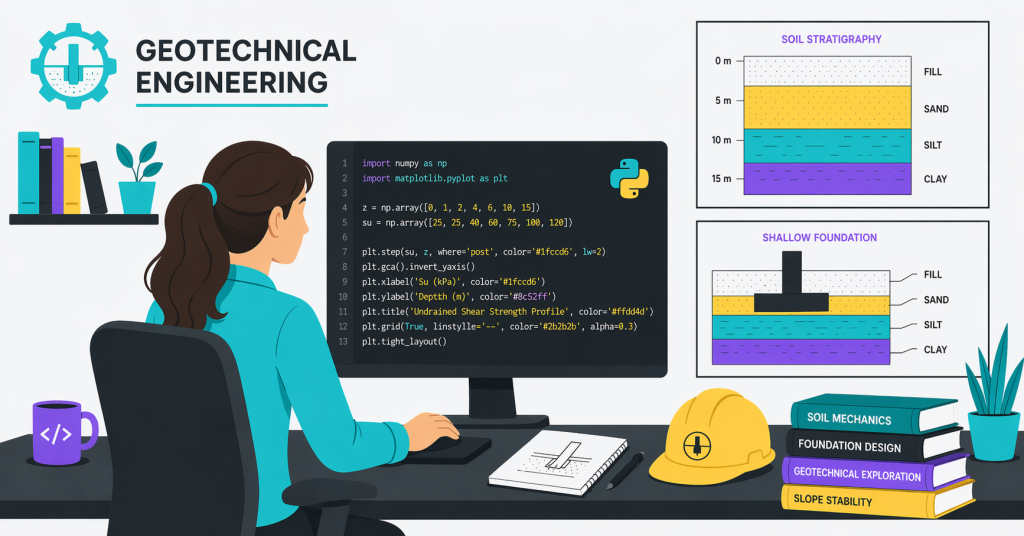
I am sure you did not study soil mechanics, ground investigation, and foundation design to spend your Tuesday afternoon copying SPT values from a lab report into Excel. You became a geotechnical engineer to assess ground behaviour, design safe foundations, and make judgment calls that buildings and tunnels depend on. Yet most weeks, the calendar tells a different story.
The good news is that you can reclaim that time. Python provides geotechnical engineers with a way to automate repetitive data work, allowing them to return to the part of the job that actually requires their expertise.
The Real Cost of SPT Manual Data Work in Geotechnical Engineering
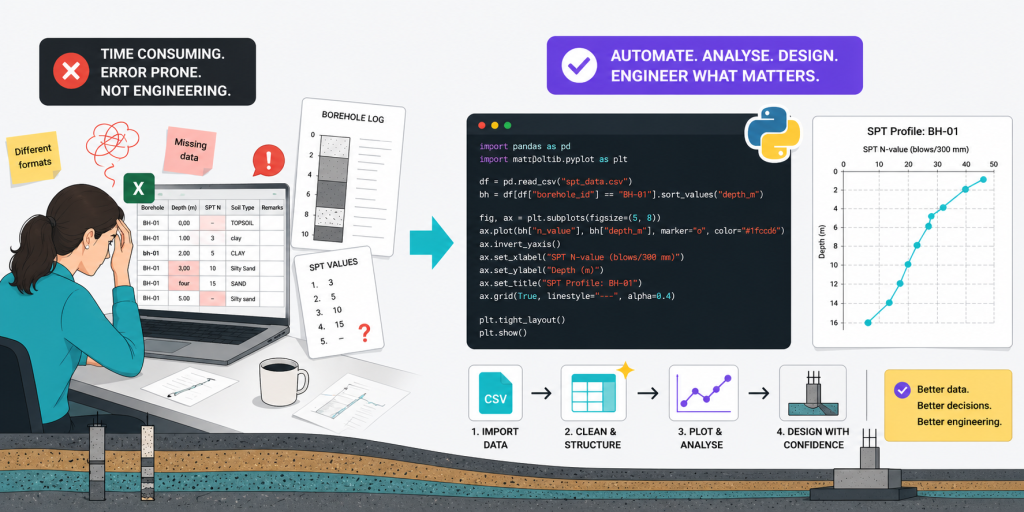
Picture a typical Wednesday. A sub-consultant emails the latest borehole logs. The CSV uses one date format; your project template uses another. Three of the columns have inconsistent capitalisation. Two boreholes are missing depth values for the first metre. You spend ninety minutes cleaning, checking, plotting, and pasting before you even open the design.
Those ninety minutes were not engineering. It was data wrangling. Multiply it across a project, a team, and a year, and the cost is enormous. Worse, it is invisible. No client line item reads “manual reformatting of CSV files”. The hours just disappear.
The deeper cost is harder to measure. Every minute spent reformatting is a minute not spent thinking about settlement behaviour, liquefaction risk, or whether the proposed foundation is the right call for the ground conditions on site.
Where geotechnical engineers lose hours, and why automation in geotechnical engineering is essential
Most engineers I speak to recognise the same pattern:
- Reformatting borehole and CPT data into project templates
- Plotting SPT N-value profiles by hand for each borehole
- Updating figures whenever new ground investigation results arrive
- Copying values into bearing capacity or settlement calculation spreadsheets
- Producing the same factual report tables, project after project
Every one of these tasks follows a rule. You can automate every one of them.
How Python Helps Geotechnical Engineers Automate Data Analysis
Python is not a career change. It is a power tool. Think of it the same way you think of AutoCAD or Plaxis: a piece of software that does work you used to do by hand, and does it faster.
For geotechnical engineers, three Python benefits matter most:
- Speed. A script that plots one borehole plots fifty in the same second.
- Reproducibility. The same input data always produces the same output. No more “did I update the figure after the last data drop?” anxiety.
- Scalability. Build the workflow once, reuse it across every project for the rest of your career.
You do not need to learn computer science. You need to learn just enough Python to read a CSV, filter a column, and draw a line.
A short example: SPT profile in fifteen lines of Python
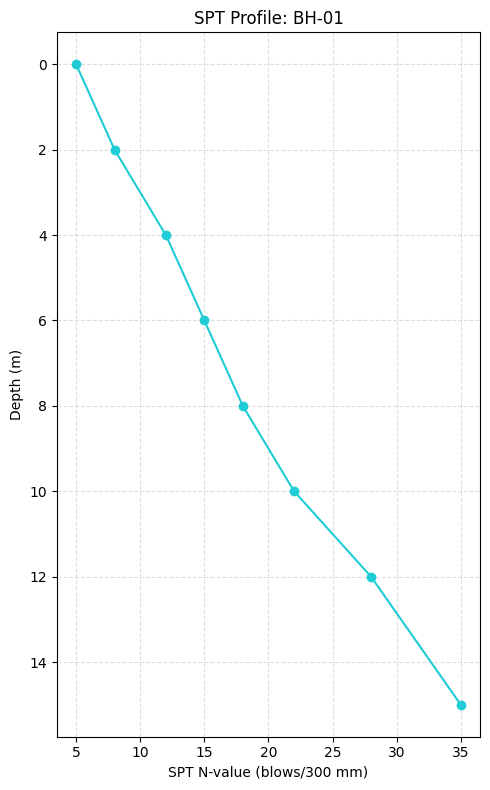
Here is what loading an SPT dataset and plotting one borehole looks like:
import pandas as pd
import matplotlib.pyplot as plt

df = pd.read_csv("spt_data.csv")
bh = df[df["borehole_id"] == "BH-01"].sort_values("depth_m")

fig, ax = plt.subplots(figsize=(5, 8))
ax.plot(bh["n_value"], bh["depth_m"], marker="o", color="#1fccd6")

ax.invert_yaxis()
ax.set_xlabel("SPT N-value (blows/300 mm)")
ax.set_ylabel("Depth (m)")
ax.set_title("SPT Profile: BH-01")
ax.grid(True, linestyle="--", alpha=0.4)

plt.tight_layout()
plt.show()
That is the entire script. Run it once, and you have a clean profile. Run it again next week with a new dataset, and you have an updated profile. Change the borehole ID, and you have a different profile in seconds.
Note that this example plots raw SPT N-values for visualisation only. For design interpretation, corrections such as energy, overburden, groundwater effects, equipment, and ground model context may be required, depending on the purpose of the assessment.
An example of the output is shown below (Uncorrected N-values with depth):
From Geotechnical Data Analysis to Engineering Judgement
Now imagine that ninety-minute reformatting block from earlier compressed to ninety seconds. What do you do with the rest of the afternoon?
You read the SPT profile properly. You ask whether the soft layer between five and seven metres explains the settlement issue at the adjacent site. You re-run the bearing capacity check using realistic shear strength values rather than conservative defaults. You write the section of the report where your judgement actually shows.
That is the shift Python enables for geotechnical engineers: from data analysis as a chore to data analysis as a fast on-ramp to design.
What to learn first as a geotechnical engineer
You do not need a computer science degree. Start narrow:
- pandas to read, filter, and clean ground investigation data
- matplotlib to plot SPT, CPT, and borehole profiles
- A simple script structure to chain these into a reusable workflow
Resist the temptation to learn web development, machine learning, or general data science. Stay geotechnical. Learn just enough Python to remove the work you hate from your week.
Start Small, Stay Geotechnical
Python is not the goal. Better engineering is the goal. Python happens to be the fastest route there.
Pick one task this week that you do by hand, and that follows a rule. Plot a single SPT profile. Reformat one CSV. Generate one figure. Build it once, save it, and watch your Friday afternoons start to look more like the engineering you signed up for.
The next post in this series will take this further by cleaning multiple boreholes automatically, checking the input data, and exporting report-ready SPT plots.
Want the CSV template and Python script used in this example? Subscribe below and I’ll send practical geotechnical Python workflows directly to your inbox.
Get practical Python workflows
in your inbox
Written for practising engineers. No filler. Every email has a script, a concept, or a workflow you can use on a real project.