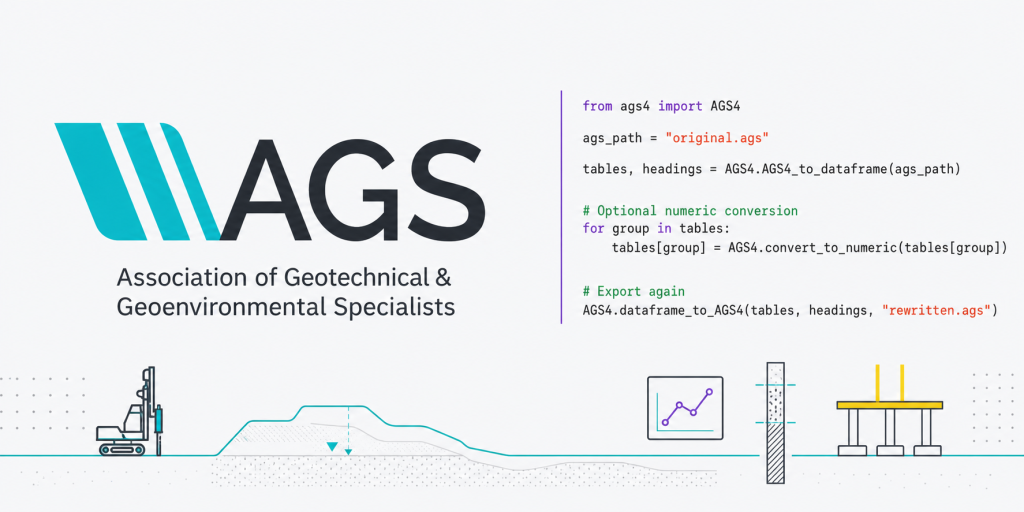
Introduction to Python Code for AGS Files
AGS files are the industry standard for geotechnical and geoenvironmental data exchange in the UK and internationally. To validate an AGS4 file using Python, there is an existing official library (python-ags4), which provides robust validation functionality for AGS4 files.
I’d recommend you familiarise yourself with the AGS4 dictionary, so you can understand the structure of the data before starting to manipulate it. I like this open source and interactive (non-official) dictionary: https://open-geotechnical.github.io/unofficial-ags4-data-dict/groups.html
Libraries in Python
For those who don’t know, Python libraries are essentially a collection of pre-written code that you can borrow and use in your own programs. When you bring a library into your code, Python gives you access to all functions, classes and methods that the library contains. Each of them focuses on particular types of tasks, like mathematical operations, tables, or this specific one for AGS4 data files.
To use any library in your Python programme, you need to:
- Import the library into your Python programme using the import statement. Once the library is imported, you have access to all the pre-written code in that library. Then, you can import parts of this pre-written code by:
- Importing a specific function or class with the statements from library_name import function_name.
In order to use the functionalities of the python-ags4, we will need to import a few other libraries, such as Pandas or Numpy, so we can manage and sort data.
The python-ags4 Library
The python‑ags4 library, maintained by the AGS Data Format Working Group, reads AGS4 files into pandas DataFrames, which allows you to analyse, manipulate, and update the data using all of pandas’ functionality, and writes the result back to AGS format (or CSV). This library also includes a comprehensive validation module that checks files for compliance with AGS rules, producing detailed error reports.
The core functionalities of the python-ags4 library are led by a specific tool (AGS4) in the toolbox or library (ags4):
- Read AGS files: Once this library and Pandas are imported, the command AGS4.AGS4_to_dataframe(‘input.ags’) returns a dictionary of DataFrames, one per AGS group (e.g., tables’LOCA’ , tables’ISPT’ ).
- Convert data types: All data are imported as text, so use AGS4.convert_to_numeric(tables) to automatically convert numeric columns (based on the AGS TYPE field) to floats for analysis. If the data is imported as text (strings), the data won’t be analysed or plotted properly.
- Validate files: The library checks for structural errors, missing required fields, and data type mismatches, helping you catch issues before uploading to client portals or government databases.
- Write AGS files: AGS4.dataframe_to_AGS4(tables, headings, ‘output.ags’) to export your cleaned or augmented data back to AGS4 format.
Import Libraries
For simplicity, make sure your AGS file and your Python script are saved in the same folder. The first step is to install the library on your PC and import the relevant module (AGS4) from the python_ags4 library:
# Install via pip
pip install python-AGS4 pandas openpyxl matplotlib pathlib

# Import libraries and modules
from python_ags4 import AGS4
from pathlib import Path
import pandas as pd

# Check what the AGS4 module can do by listing the functions (attributes and methods) within the AGS4 class:
print(dir(AGS4))
With the script above, we’re installing five different libraries: python-AGS4, pandas, openpyxl, matplotlib and pathlib.
Now, let’s start by reading the AGS file. I have used an AGS file (202002050937108.ags) downloaded from the British Geological Society website: AGS4 File Utilities Tool and API.
Read, Convert, Validate and Export AGS4 Files
# Set the directory of your AGS file -> because your Python and AGS file are in the same folder, you can use the filename of the AGS file directly. Otherwise, you need to add the whole path as a string. For example: ags_file = 'C:/Projects/AGS_Data/...'

ags_path = '202002050937108.ags' # This is the name of your ags file.

# 1a) Load .ags file in a DataFrame (as a tuple) -> we will need Pandas from now on.
ags_dataframe = AGS4.AGS4_to_dataframe(str(ags_path))
print(type(ags_out)) # This should be a tuple. It confirms AGS4_to_dataframe() returns a tuple. However, we can't easily use the tables yet.

# 1b) Load .ags file into DataFrames:
tables, headings = AGS4.AGS4_to_dataframe(str(ags_path))
print("Groups loaded:", list(tables.keys()))

# QA: Check the GROUPS loaded as part of this dataframe
print("Groups loaded:")
print(list(ags_dict.keys()))

''' In this case:
Groups loaded:
['PROJ', 'UNIT', 'TYPE', 'TRAN', 'FILE', 'DICT', 'ABBR', 'LOCA', 'GEOL', 'BKFL', 'CDIA', 'WSTG', 'WSTD', 'ISPT', 'SAMP']
'''

# 2) Convert all numbers to numeric
for group in tables.keys():
    tables[group] = AGS4.convert_to_numeric(tables[group]) # if you want to know more about this function: help(AGS4.convert_to_numeric)

# 3) Validate an AGS4 file
errors = AGS4.check_file(str(ags_path))

# Print validation results
if errors:
    print("Validation errors found:")
    for error in errors:
        print(f"  {error}") # Errors can be further investigated here: https://www.ags.org.uk/data-format/ags4-data-format/
else:
    print("File is valid!")

# 4a) Export .ags file into .csv file and check it in Excel
out_xlsx = Path("yourpath/01 AGS Data/202002050937108/ags_export.xlsx")

with pd.ExcelWriter(out_xlsx, engine="openpyxl") as writer:
    for group_name, df in ags_dict.items():
        if df is None:
            continue

        df = pd.DataFrame(df)  # ensure it's a DataFrame

        safe_name = str(group_name)

        df.to_excel(writer, sheet_name=safe_name, index=False)

print("Export complete:", out_xlsx)

# 4b) Export .ags file as a new .ags file:
AGS4.dataframe_to_AGS4(
    tables,
    headings,
    "202002050937108exported_file.ags"
)
Check the GROUPS
For this, we will need another library. In this case, it will be the Pandas and Numpy libraries:
# 1) Extract three key AGS groups and turning them into working tables for analysis. In AGS, each GROUP (e.g., LOCA, GEOL, ISPT) is essentially a table:

df_loca = tables["LOCA"].copy()
df_geol = tables["GEOL"].copy()
df_ispt = tables["ISPT"].copy()

# Note: Using copy(), you prevent accidental modification of the original tables dictionary. Without .copy(), modifying df_loca may modify tables["LOCA"] directly.

# 2) Inspect the table structure to confirm available fields, identify key columns, etc.
print(df_loca.columns)
print(df_geol.columns)
print(df_ispt.columns)

#3) Preview the data as sa quick visual validation step
df_loca.head(10) # Preview the first 10 rows of the LOCA group.
df_geol.head(10)
df_ispt.head(10)
df_ispt.tail(10) # Preview the last 10 rows of the ISPT group.
Now that you have LOCA, GEOL, and ISPT in clean, independent DataFrames, you finally have a stable base to do parameter derivation and real geotechnical analysis.
Bringing It All Together
With your environment set up and your toolkit installed, you’re ready to start automating geotechnical workflows. A typical analysis pipeline looks like this:
- Read and validate AGS data with python‑ags4 and load into pandas DataFrames.
- Clean and merge tables into a single DataFrame indexed by borehole ID and depth, joining LOCA, GEOL, and ISPT groups on common keys
- Perform calculations: Derive corrected SPT N-values using geolysis, compute settlements and bearing capacities with geofound, and run sensitivity analyses by varying soil parameters.
- Visualise results with Matplotlib to interpret trends, compare design scenarios, and communicate findings to clients or colleagues.
- Document your assumptions in comments or a separate log file, and export cleaned data or summary tables back to AGS or Excel for sharing.
This workflow replaces hours of manual copy-paste-calculate cycles in Excel with a transparent, repeatable Python script that you can version-control, peer-review, and reuse across projects.
What’s Next
In the next post, we will move beyond “reading and checking” into joining tables by borehole ID and depth, applying simple but powerful QA rules (depth continuity, missing or zero SPT values, refusals), and building the first plots that make the data interpretable—SPT N‑value versus depth, coloured by geology. This is the point where Python genuinely starts to replace repetitive spreadsheet work with a transparent, repeatable workflow that can be version‑controlled, peer‑reviewed, and trusted even by colleagues who never write a line of code themselves.
References
- Ali, J. (2021). A Curated List of Python Resources for Earth Sciences. GitHub. https://github.com/javedali99/python-resources-for-earth-sciences
- Association of Geotechnical and Geoenvironmental Specialists (AGS). (2019). Electronic Transfer of Geotechnical and Geoenvironmental Data – AGS4 Data Format. https://www.ags.org.uk/data-format
- Bedrock.engineer. (2024). AGS4 Reference – Overview of the AGS4 Geotechnical Data Format. https://bedrock.engineer/reference/formats/ags/ags4/
- Boateng, P. (2023). geolysis – GitHub Repository. https://github.com/patrickboateng/geolysis
- Boateng, P. (2025). geolysis: An open‑source library for geotechnical engineering analysis and modelling (Version 0.x). Python Package Index. https://pypi.org/project/geolysis/
- British Geological Survey (BGS). (2021). pyagsapi – An AGS Utilities API with AGS v4.x Schema Validation & Converter for .ags .xlsx files. GitHub. https://github.com/BritishGeologicalSurvey/pyagsapi
- GroundHog Developers. (2023). GroundHog Geotechnical Libraries Documentation. https://groundhog.readthedocs.io
- Millen, M., & contributors. (2017). geofound: A Python package to assess the bearing capacity and settlement of foundations. GitHub. https://github.com/eng-tools/geofound
- Senanayake, A., Monaghan, A., & O’Neill, K. (2022). python‑ags4: A Python library to read, write, and validate AGS4 geodata files. Journal of Open Source Software, 7(79), 4569. https://doi.org/10.21105/joss.04569
- AGS Data Format Working Group. (2021). python_ags4 Official Documentation. https://ags4-standard.gitlab.io/python_ags4/